Events and Agenda
Attendees use the mobile app to discover events and navigate event content.
Event List
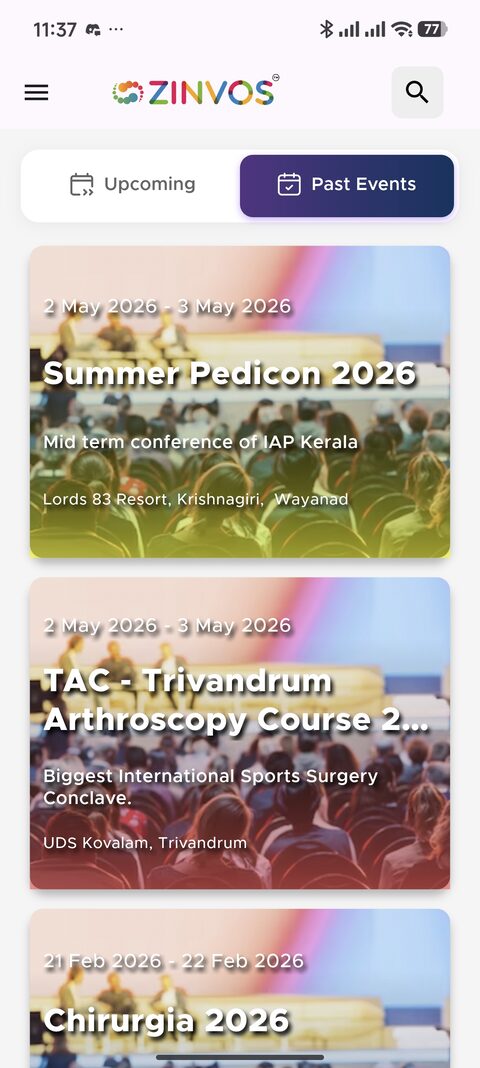
The event list shows available events. Attendees select an event to enter the event home screen. Event cards may show organizer-provided mobile imagery, dates, venue details, and registration actions when registration is open.
The organizer controls which events are visible in the mobile app through Mobile Visibility in admin.
Zinvos classifies an event as upcoming, ongoing, or past using the event timezone configured by the organizer. An event remains ongoing through its full local end date and becomes past at local midnight after that date. The server supplies this status to every supported mobile app variant, so the attendee's device timezone does not move an event between the Upcoming and Past lists.
Event Home
The event home screen can show actions when the organizer has configured them:
- Register Now - Appears when registration is open and the attendee does not already have a registration.
- Event Website - Appears when the organizer has configured an event website URL.
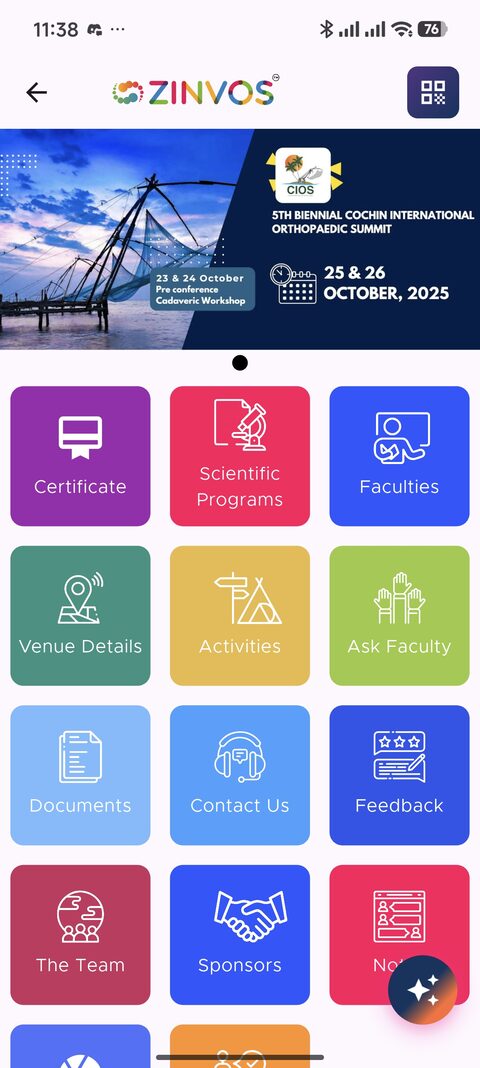
Below the buttons, the feature grid shows tiles for sessions, faculty, venue, activities, feedback, certificates, documents, and other event content configured by the organizer.
Common event home entries include:
- Program Schedule or Scientific Programs.
- Faculty or Speakers.
- Venue Details.
- Activities.
- Ask Faculty.
- Documents.
- Contact Us.
- Feedback.
- The Team.
- Sponsors.
- Notes.
- Moments.
- Quiz/Polls.
- Custom menu items configured by the organizer.
Some app versions also provide drawer shortcuts for common actions such as My Registrations, so attendees can quickly return to important event tasks.
Faculty and Speaker Content
Faculty pages let attendees browse categorized faculty profiles, review photos and bios where provided, and open faculty-specific sessions. In the MCO (Medical Council Organization) variant, faculty can be browsed by category from a dedicated navigation section.
Make sure faculty records are complete in admin before the event.
Session Details
Session details can show richer role-based faculty sections, including speakers, moderators, and committee members. Role section labels such as "Moderator" or "Committee" may be customized by the organizer per session or sub-session. If an attendee reports missing people on a session, confirm the admin session assignment uses the correct role.
Venue
The venue section shows the event location and address. When the organizer has configured a venue map URL:
- Android: Tapping the venue opens Google Maps directly with the location.
- iOS: Tapping the venue opens the native map picker, letting the attendee choose their preferred maps app.
Activities, Contacts, Team, and Sponsors
These sections help attendees find logistical and supporting event information.
Organizer support note: if a section is empty, confirm the admin content exists for the selected event and that the attendee refreshed the mobile app.