Sessions and Favorites
Sessions are the main schedule items attendees use during the event.
Session Browsing
The sessions screen supports search, pull-to-refresh, day filters, hall filters, favorites-only filtering, live-now indicators, and expandable session details.
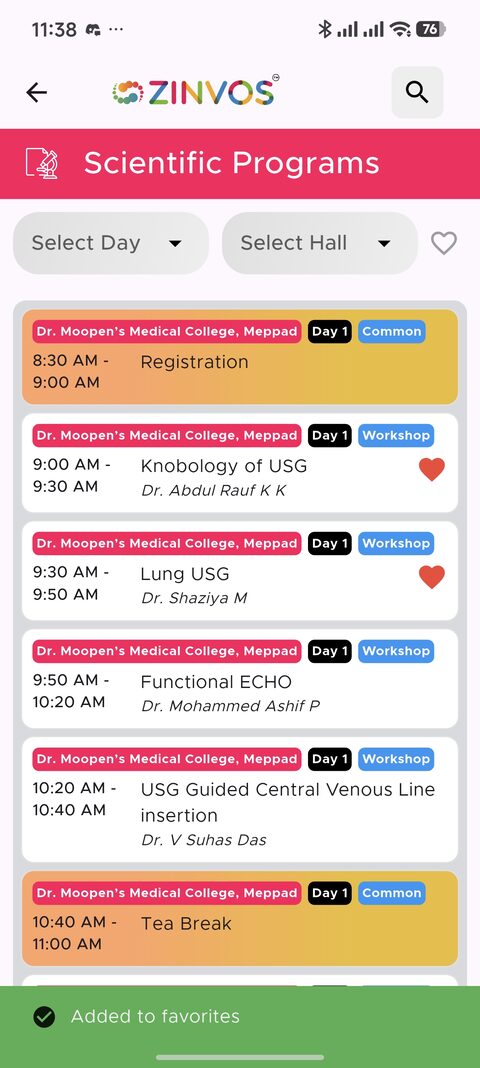
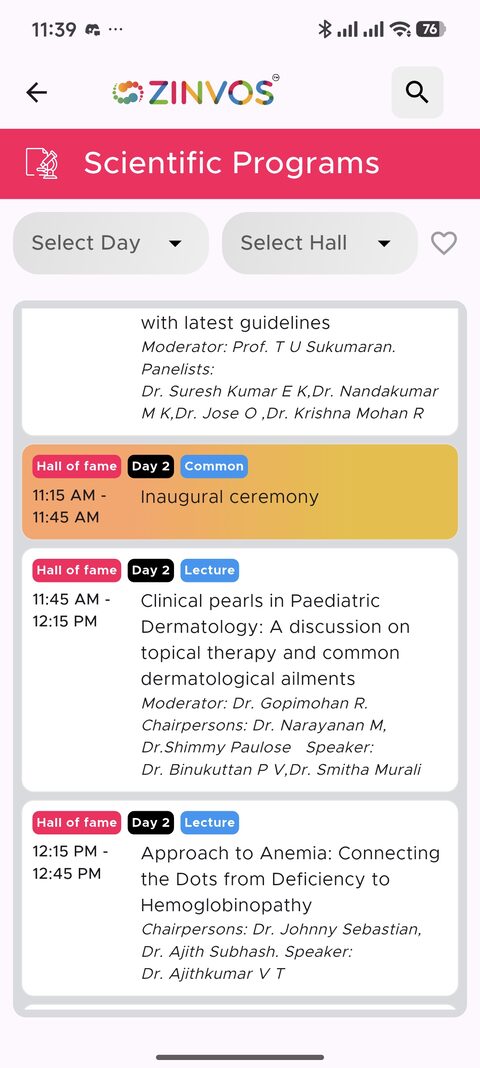
Expandable Sessions
Attendees can expand a session to view more details. Some sessions may show speakers, sub-sessions, attendance status, linked polls, or other session tools.
Some app versions also provide a dedicated session detail screen. It can show richer agenda information and separate faculty sections for speakers, moderators, and committee members. Role section labels may be customized by the organizer per session.
Double Tap to Favorite
Attendees can double tap a session card to add or remove it from favorites. The app also shows a tip and tooltip for this interaction.
Organizer support note: favorite status helps attendees filter their schedule and can be used with notification targeting. If a user expects favorite-session notifications, confirm the session was favorited before the notification was sent.
Linked Polls
If a session has polls, the card can show a poll icon. One linked poll opens directly. Multiple linked polls open a session poll list.
Attendance Button
If attendance is enabled for sessions and the user has scanner access, a floating scanner action may appear.
Related docs: Attendance and Checkout, Quiz, Polls, and Live Quiz.