Mobile App Overview
The Zinvos mobile app is used by event attendees to discover events, view schedules, participate in engagement features, manage registrations through the app or WhatsApp, and access event content.
Feature Areas
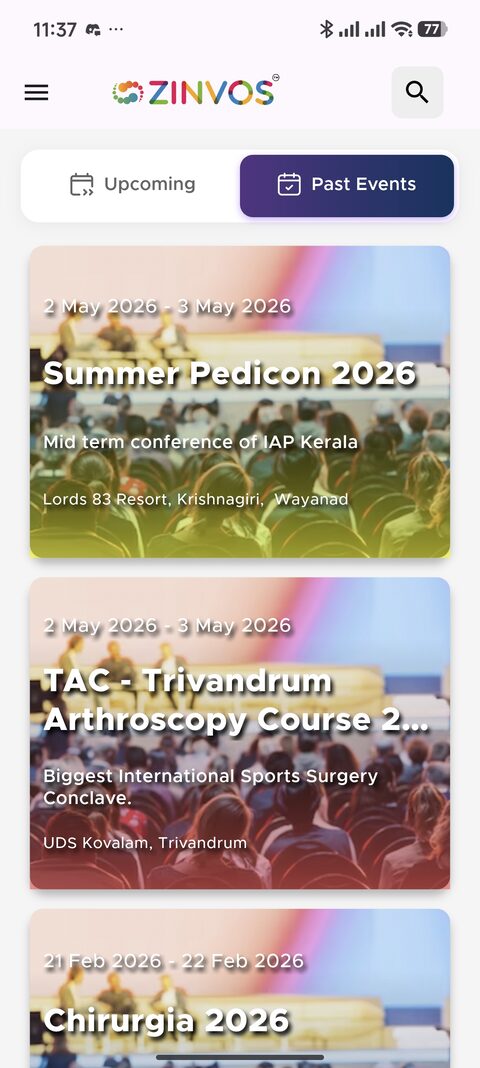
Attendees start by choosing the event they want to open.
| Area | What it covers |
|---|---|
| Getting started | Guest browsing, login, event selection, and app navigation. |
| Events and agenda | Event list, event-home actions when configured, activities, venue (with map navigation), sponsors, teams, and faculty. |
| Sessions and favorites | Search, filters, live indicators, expandable sessions, double tap favorites, and notifications. |
| Registration and badges | My Registrations, claim registration, OTP, QR badges with event identity, WhatsApp registration, browser-based payment flows, and legacy QR flows. |
| Attendance and checkout | QR scanning with pinch-to-zoom, attendance badges, duplicate scan behavior, and checkout mode. |
| Notes | Session notes, public/private visibility, images, downloads, and AI summaries. |
| Moments | Selfie upload, album readiness, photo viewing, downloads, sharing, and reupload. |
| Quiz and polls | Standard quizzes, polls, session polls, live quiz states, and reconnect behavior. |
| Ask Faculty | Session Q&A, faculty tagging, answers, voting, and deletion permissions. |
| Feedback and certificates | Feedback submission (in-app and email), eligibility banner, certificate list, downloads, and verification. |
| Documents and content | Documents, custom menu, FAQ chat, contacts, sponsors, and team content. |
| Account and support | Login, signup, settings, password reset, account-deletion requests, contact us, and support requests. |