Session Notes
Notes let signed-in attendees save notes connected to sessions.
Session Notes List
Attendees first select a session, then open notes for that session. Notes can be refreshed and reviewed from the notes list.
Add, Edit, and Delete Notes
Users can add notes, edit allowed notes, and delete allowed notes. Notes can include text and an optional image from camera or gallery.
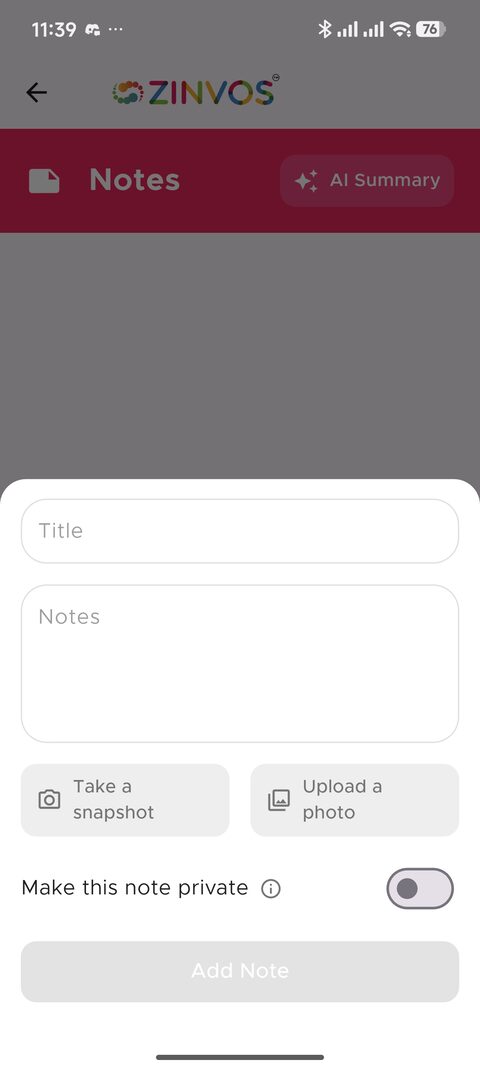
The note form supports text, optional image attachments, and private note visibility.
Private and Public Notes
The note form includes a Make this note private switch. Private notes show a lock icon and are visible only to the user. Public notes may be visible according to the event's notes behavior.
Organizer support note: if a user expected a note to be private, ask them to look for the lock icon and edit the note privacy setting if they are allowed to edit it.
Images and Downloads
Tapping a note image opens a full-screen image viewer. Users can close the viewer or download the image where supported.
AI Summary
The AI Summary action can fetch a generated summary for session notes. This may take longer than normal note actions.