Agenda and Content Setup
Agenda setup defines how attendees browse the event schedule and supporting event information in the mobile app.
Programs
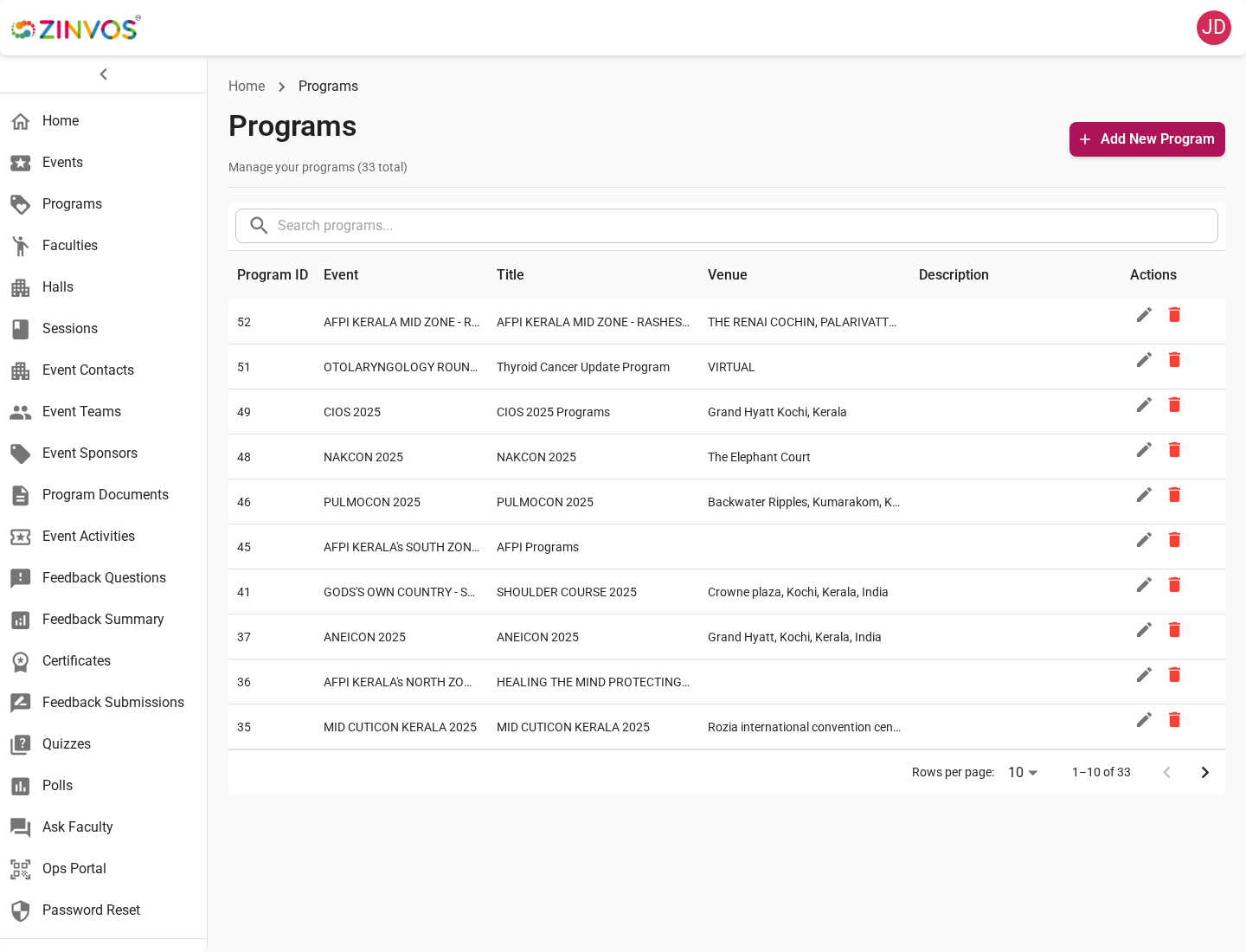
Programs group sessions into a schedule area. Create programs before adding sessions so every session has the correct parent context.
Document for organizers:
- Program name and timing.
- Program-level settings that affect related sessions.
- Whether the program should appear in the mobile schedule.
Sessions
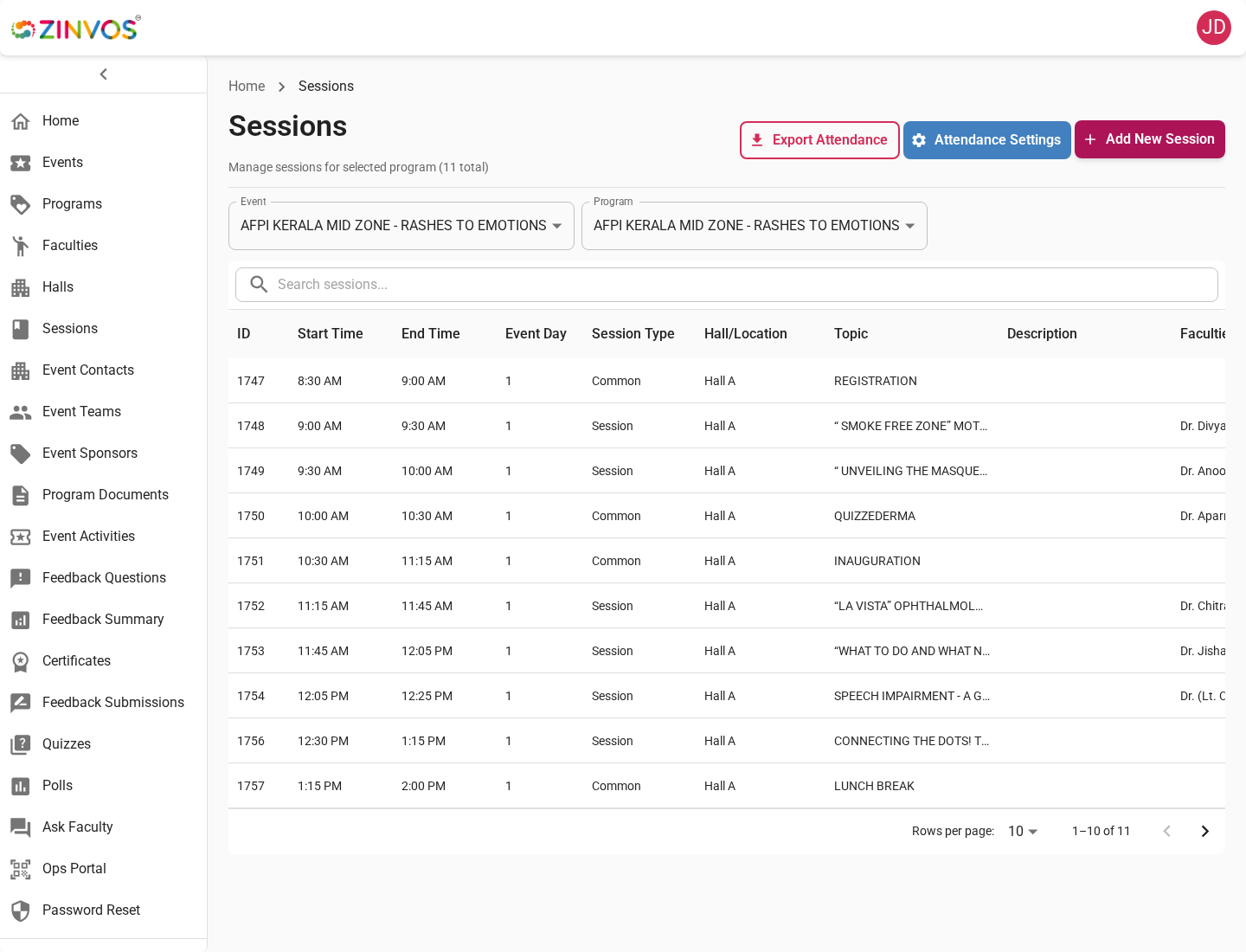
Sessions are the main schedule items attendees open from the mobile app. Session setup can affect notes, attendance, feedback, linked polls, live quiz participation, halls, faculty display, and timing indicators.
Document for organizers:
- Session title, date, start time, and end time.
- Hall assignment.
- Faculty assignments by role, such as speakers, moderators, and committees.
- Common or special session styling when used.
- Attendance availability.
- Linked polls or quizzes when applicable.
Attendee support note: users can search sessions, filter by day or hall, open session details, view speakers/moderators/committee members, and double tap session cards to favorite them.
Halls
Halls help attendees filter and locate sessions. Keep hall names clear and consistent with event signage.
Faculties and Speakers
Faculty records power speaker lists, categorized faculty views, session role displays, faculty-specific session views, and Ask Faculty tagging.
Document for organizers:
- Name, title, position, organization, bio, category, profile link, and photo where available.
- Whether the faculty profile should be visible in the mobile app.
- Display order for the faculty list.
- CSV upload flow if importing many faculty records.
- Session assignments after faculty creation.
Session Faculty Roles
Sessions can separate faculty into roles such as speakers, moderators, and committee members. Use the role fields so the mobile app can show the right people in the right section of the session detail screen.
Custom Role Labels
You can override the default section labels for a session or sub-session. For example, you can replace "Moderator" with "Chairperson" or "Committee" with "Scientific Committee" using the moderator prefix and committee prefix fields.
Custom Names
You can assign a custom display name to an individual faculty slot. This is useful when a faculty member should appear under a different name or title for a specific session. Custom names are stored per role and are shown in place of the default faculty record name on that session.
Before launch, review a few sessions on mobile and confirm:
- Speakers appear under speaker sections.
- Moderators and committee members are not mixed into the speaker list.
- Faculty photos and bios look complete enough for attendee browsing.
- Faculty-specific session lists show the expected sessions.
- Custom role labels display the intended text in the mobile app.
- Custom names appear correctly when assigned.
Contacts, Teams, Sponsors, and Activities
These sections provide supporting event information in the mobile app.
- Contacts appear in Contact Us.
- Phone numbers are optional for contacts.
- Team members appear in The Team.
- Sponsors appear in sponsor listing and sponsor detail screens.
- Activities appear in the Activities section.
Copy Activities Between Events
When setting up a new event that shares activities with a previous one, you can copy all activities from an existing event instead of recreating them. From the Event Activities page, choose Copy from Event, select a source event, then choose Copy all activities. Review the copied categories, names, descriptions, and directions afterward.
Program Documents
Documents give attendees access to files such as schedules, brochures, abstracts, or supporting material. Use descriptive file titles so attendees can identify the correct document before downloading.
Common Checks
- Confirm content belongs to the correct event.
- Confirm linked sessions use the correct program and hall.
- Refresh the mobile app after updates.
- Confirm uploaded images and files are publicly accessible through the app.