Operations and Venue Tools
Operations tools are used by on-site teams to manage entry, attendance, badges, and venue movement.
Tools
| Tool | Purpose |
|---|---|
| Attendance | Scan or record session/event attendance. |
| Checkout | Manage session checkout flows when enabled. |
| Ops portal | Event-scoped operating console for venue staff. |
| Spot registration | Register participants on-site. |
| Badge print | Print participant badges. |
| Self check-in kiosk | Tablet where attendees scan their pass, print their own badge, and check in. |
| Access points | Control and monitor event area entry. |
| Occupancy | Track attendance or access-point occupancy. |
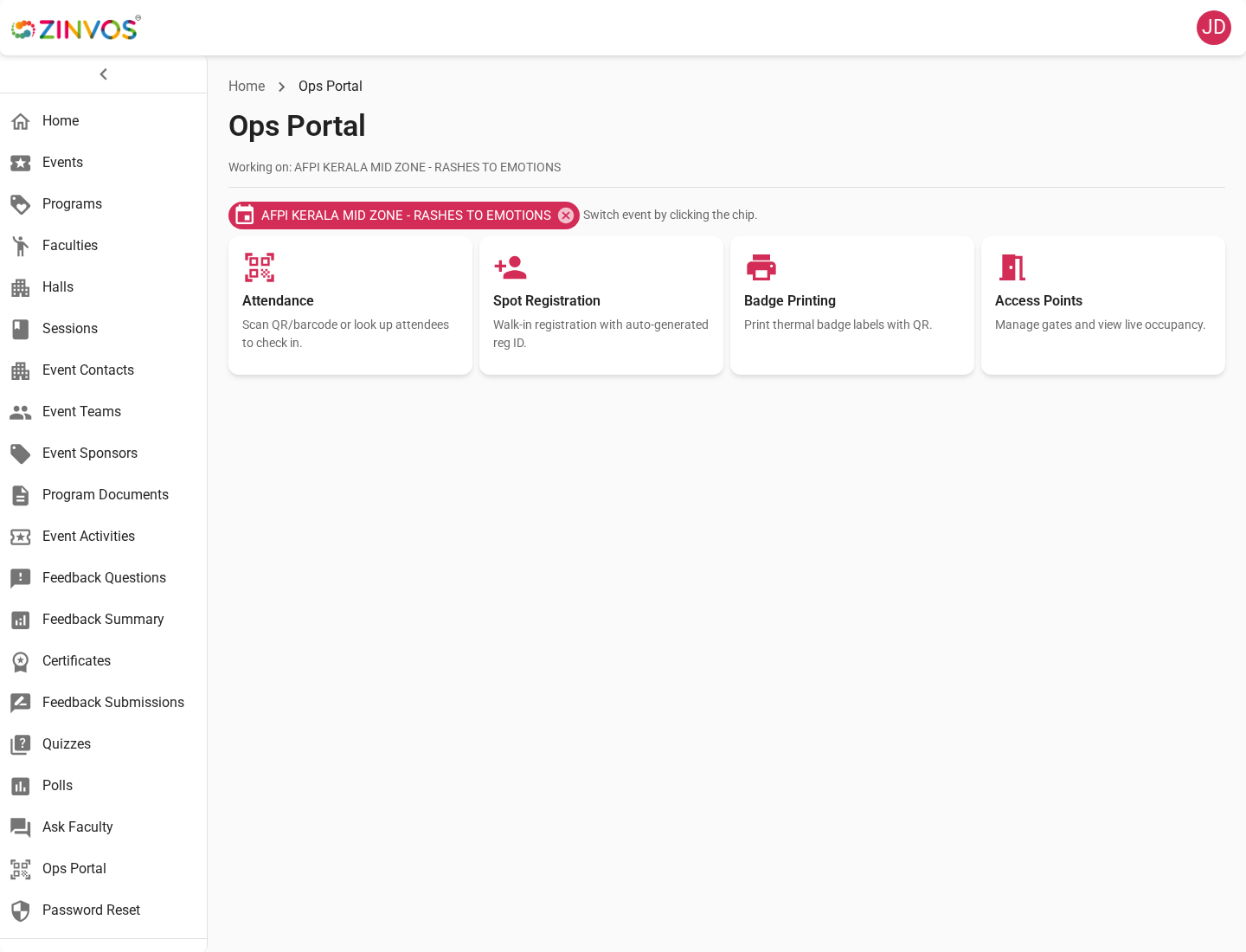
Ops Portal
The Ops Portal is the event-scoped console for on-site staff. It centralizes operational actions that are usually performed during event days.
Attendance Operations
Staff can scan attendance, review attendance lists, and validate whether participants have entered or attended the correct event area. Event check-in is consolidated under Ops Attendance, so on-site teams should use Ops Portal attendance tools for event-level check-in and attendance review.
Spot Registration
Spot registration is used when a participant needs to be registered on-site. After creating the record, staff can continue with badge printing or check-in depending on event process.
Badge Printing
Badge printing helps staff issue physical badges from registration records. Confirm printer setup and badge layout before opening check-in.
To let attendees print their own badges, set up a self check-in kiosk.
Access Points and Entry
Access points represent controlled entry locations such as halls, zones, lounges, or restricted areas. Staff can scan entry, review access entries, export logs, and monitor occupancy.
Occupancy
Occupancy helps staff understand current headcount or access-point usage. Use it during high-traffic periods to prevent overcrowding and support venue decisions.
Event-Day Checklist
- Confirm staff accounts can access Ops Portal.
- Test scanner permissions on the devices that will be used.
- Confirm event check-in staff know to use Ops Attendance.
- Test badge printing with sample registrations.
- Confirm access points are named clearly for staff.
- Prepare fallback instructions for network or device issues.